
Tali + Healthquest capabilities
Access Tali’s core tools directly within your Healthquest EMR to streamline your documentation workflow.
-
AI Scribe: Automatically generate clinical notes for in-person and telehealth visits without leaving your EMR.
-
Medical Dictation: Use voice-to-text for fast, accurate note-taking.
-
Medical Search: Look up drug dosages and clinical questions within your workflow.
-
Single Sign-On: Log in once and stay connected across your Healthquest sessions.
Before you begin
To use Tali within Healthquest, ensure your clinic’s EMR is updated to version 4.4.50.
Connect Tali to Healthquest
-
Log in to Healthquest.
-
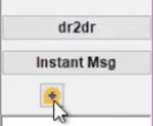
Click the yellow button on your sidebar to open the Tali window.
-
Click 'Sign into Tali'.
-
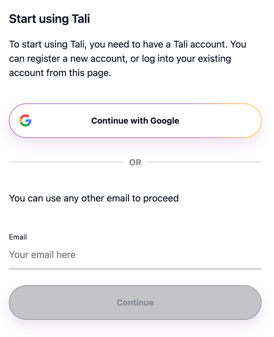
Enter your email address to receive a secure authentication code.
-
Enter the authentication code from your email to finalize the login.
After your first login, Healthquest will save your credentials so you stay logged in automatically.
Getting help
-
Need a Tali account? Create one by following these instructions.
-
Need support? Contact Tali’s Customer Success Team here to book a setup session.
-
Healthquest Resources: Visit the Healthquest Knowledge Base for additional technical articles.
- Having trouble with your EMR? Visit our troubleshooting guide here