
Skip to content
English
  • There are no suggestions because the search field is empty.

Rich Text Formatting in Note Edit

Rich text formatting gives you more control over how your notes look before they are copied or sent to the EMR. You can quickly bold, italicize, or underline key parts of your note to improve readability, highlight important details, and make your documentation match the way you prefer to chart. Whether you like clearer section headings, emphasized clinical findings, or a more polished note structure, rich text formatting helps you customize your notes so they look your way.

How to format text in a note

  1. Open an encounter note.
  2. Click the Edit icon at the bottom of the note.
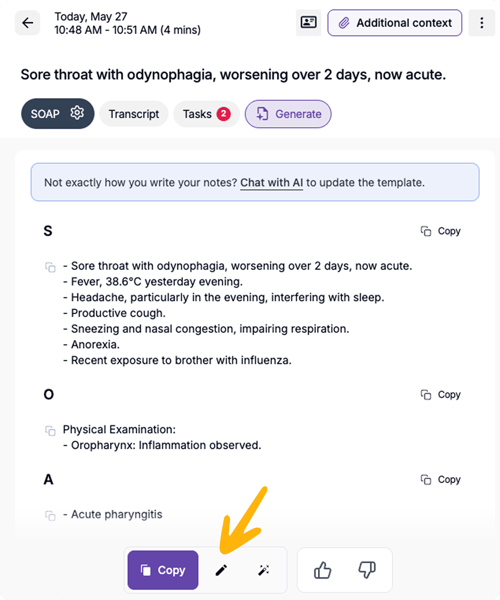
    Component 54
  3. Highlight the text you want to format.
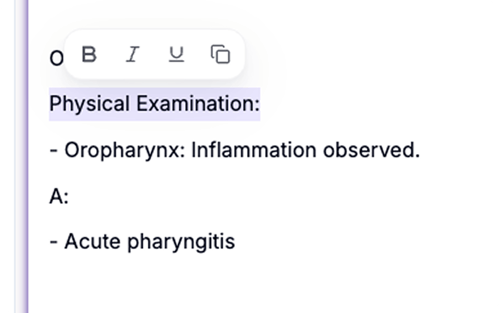
    Screenshot 2026-05-27 at 1.21.08 PM 1
  4. Use the formatting toolbar that appears above the selected text.
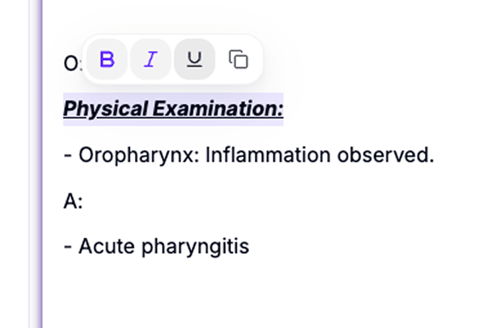
    Screenshot 2026-05-27 at 1.21.17 PM 1
  5. Choose one of the available options:
    • Bold
    • Italic
    • Underline
    • Copy selected text

Your changes will be applied directly to the note.
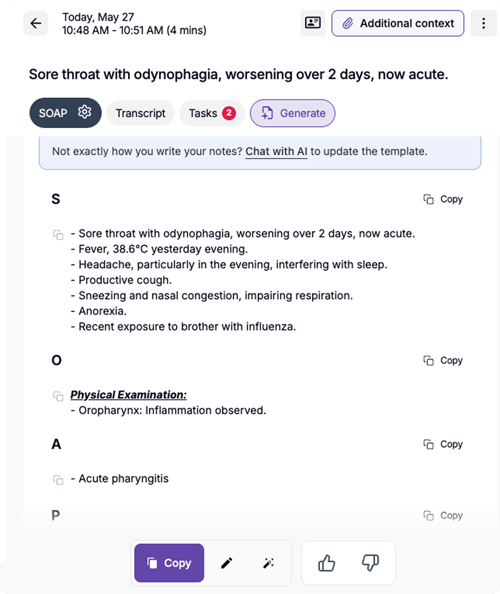
Component 55