
Watch the full CHR Note Recording Workflow video here.
Launching Tali inside CHR:
You must launch Tali from within the patient’s chart. Do not launch Tali from the main page, as it will not pull in the patient context.
- Open a patient chart in CHR.
- Click Start New Encounter
.png?width=600&height=136&name=Component%205%20(2).png)
- Click the Tali.AI button to launch Tali.
.png?width=600&height=156&name=Component%204%20(1).png)
- Tali automatically pulls patient details (like name, age, and gender) into your notes (Patient Context).
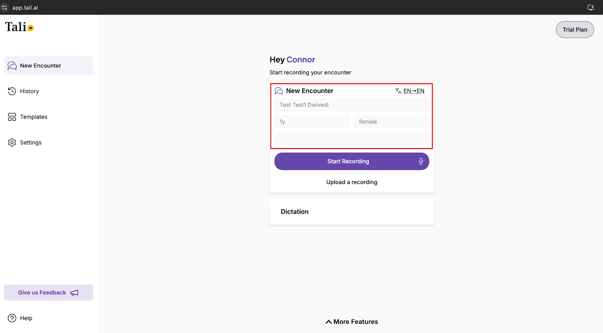
- Create a note with Tali.
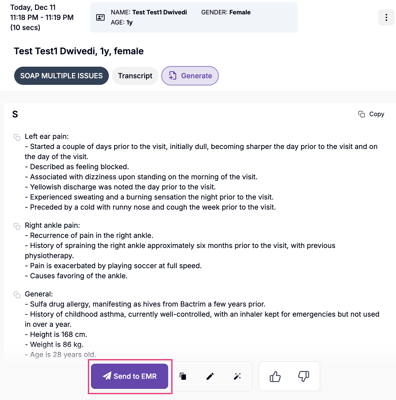
- Click Send to EMR.
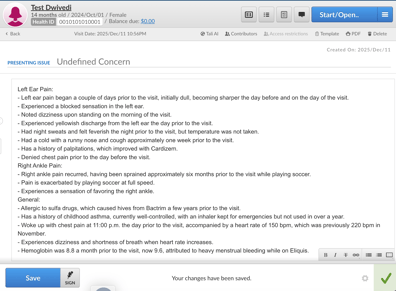
- Your note will appear as a new encounter in the patient's chart.
| Situation | Action |
| "Session expired" pop-up (Your secure connection has expired due to Telus's security requirements) | Close Tali and reopen it from the CHR patient chart page. No data will be lost. |
| Missing patient context (Name or age not pulling over) | Close the browser tab and relaunch Tali from the patient's chart. |
| "Send to EMR" failing | Close the browser tab and relaunch Tali from the patient's chart. |