
Keep patient information connected across encounters and follow-up workflows. Connecting a patient reduces repeated data entry and makes patient details available where they are needed throughout Tali.
What this enables
- Connect a patient when starting a new encounter
- Select or add a patient when creating an appointment
- Add a patient to a past encounter from History
- Reuse saved patient information in future workflows
- Use patient context in Medical Search
- Automatically populate a saved phone number in Call a Patient
- Retain patient information received through supported TELUS Health EMR integrations
Patient information
Saved patient details can include:
- Personal health number
- First and last name
- Birth date
- Sex
- Cell phone number
- Landline number
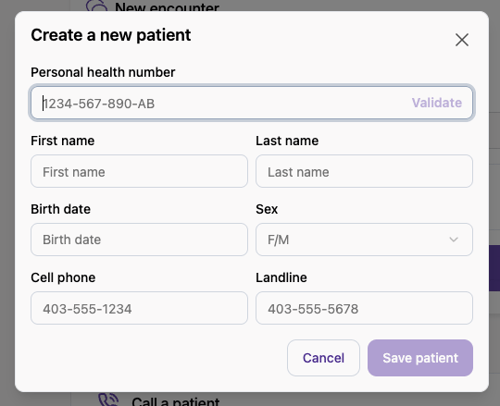
Once created or received through an integration, the patient becomes available to select in future workflows.
Connect a patient to a new encounter
From the New encounter page:
- Select the Patient health number field under Connect a patient.
- Search by personal health number or select a patient from the list.
- Start the encounter.
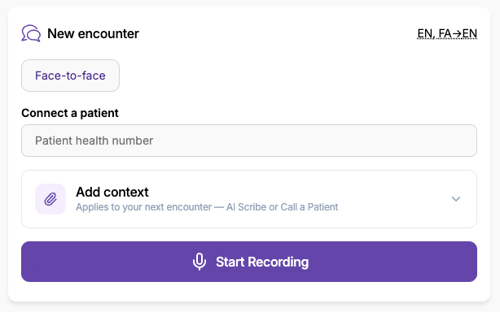
Connecting a patient is optional. You can still start an encounter without selecting one.
Create or edit a patient
To create a patient:
- Open Connect a patient.
- Select New Patient.
- Enter the available information and validate the personal health number, where applicable.
- Save the patient.
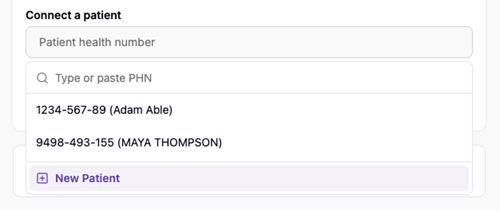
To update existing information, select the patient, click on the pen edit icon beside the patient name, make your changes, and select Update patient.

Add a patient to an appointment
When creating an appointment, use the Patient field to select an existing patient or add a new one. The patient will be associated with the appointment before the encounter begins.
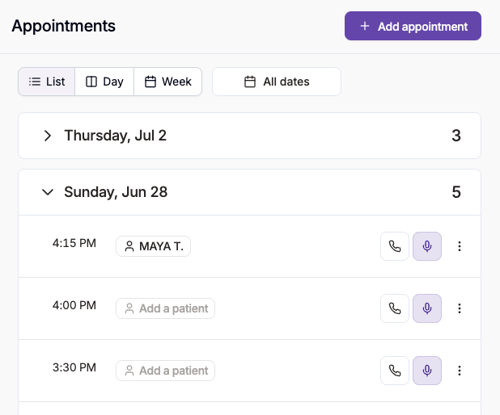
Add a patient to a past encounter
You can also connect a patient after an encounter has ended.
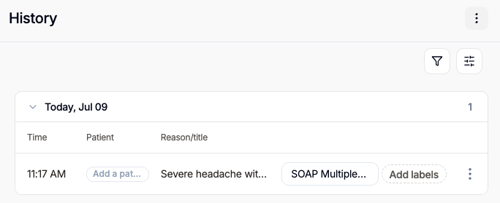
From the History table:
- Find the encounter.
- Select Add a patient in the Patient column.
- Select an existing patient or create a new one.
The patient will be added to the saved encounter.
Patients from EMR integrations
When Tali is launched from a supported TELUS Health EMR, the patient context is connected to the encounter automatically and saved for future use.
When available, the patient’s phone number is also retrieved and saved.
Patient-aware workflows
Medical Search
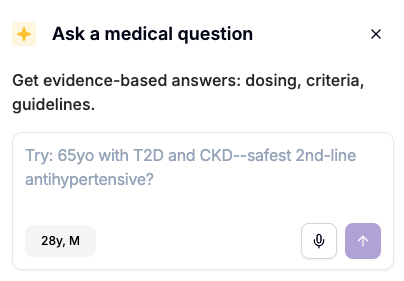
When a patient is connected, Medical Search can use available details such as age and sex to provide more relevant answers.
Learn more about Patient-Aware Medical Search
Call a Patient
If the connected patient has a saved phone number, Tali automatically populates it when you open Call a Patient. You can review or change the number before placing the call.