
How to use Medical Search
You can access Medical Search the same way as before, before starting an encounter, by clicking Ask a medical question.
.png?width=500&height=460&name=Component%2017%20(1).png)
Medical Search is also also available inside the encounter page, so you can use it during the visit without leaving your workflow.
To use it during an encounter, open or start an encounter in Tali, then open Medical Search from the encounter page. Type your question into the search field.
.png?width=500&height=389&name=Screenshot%202026-04-16%20at%201.57.19%20PM%201%20(1).png)
Tali will return evidence-based answers directly within the encounter, so you can review the information and continue the visit without switching workflows. You can also click Ask another question to run a new search at any time.
.png?width=500&height=428&name=Screenshot%202026-04-16%20at%203.30.18%20PM%201%20(2).png)
You can also access Medical Search after you finish and encouter and while you are copleting your documentation.
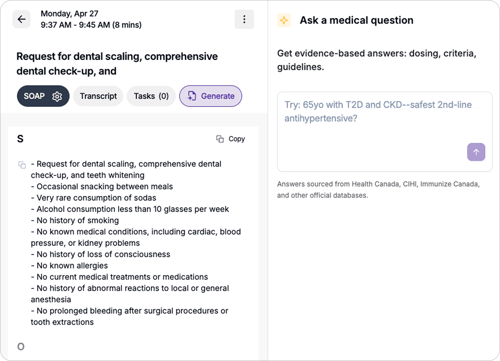
Availability
Medical Search is available:
- before starting an encounter
- inside the encounter page on Tali for Desktop
- inside the encounter page on Tali for Web