
When you’ll see the feedback prompt
Tali may ask for feedback after a call when:
- The call has ended, either because you hung up or the call disconnected.
- The call was connected for more than 30 seconds.
Very short calls will not trigger the feedback prompt.
How to share feedback
After a completed call, you may see the question:
How was the quality of the call experience?
You can select:
- Thumbs up if the call quality was good.
- Thumbs down if there was an issue with the call experience.
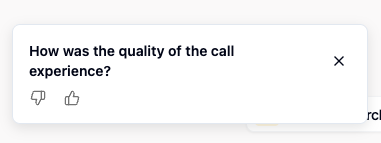
If you select thumbs down, you may be asked to provide more details so we can better understand what went wrong.
You’ll see the message:
Please give us details, so Tali can improve this feature.
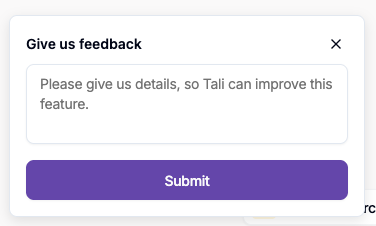
You can add a short note and submit your feedback, or close the prompt.
What happens if you redial
If you redial before submitting feedback for the previous call, Tali will remove the existing feedback prompt.
In this case, no feedback will be recorded for the previous call. If the redialed call lasts longer than 30 seconds, Tali may show a new feedback prompt after that call ends.
This helps make sure your feedback is connected to the most recent call experience.
Will this interrupt my workflow?
No. The feedback prompt is designed to be lightweight and non-blocking. You can continue with your documentation workflow, including editing your note or finishing the encounter, without needing to complete the feedback prompt.
Why we ask for feedback
Call quality can vary depending on connection strength, device setup, or other factors. Your feedback helps us identify issues, monitor reliability, and improve the call experience in Tali.