
Note: MFA is only available for enterprise accounts.
How to enable MFA:
MFA is available for enterprise accounts and is enabled by Tali upon request. Once enabled, users will be guided to set up MFA at their next login.
How to Use MFA:
Once MFA is enabled for your clinic, follow these steps to secure your account:
- Log in to your account. You will be prompted to enroll in MFA during your next login attempt.
- Scan the QR code. Open your preferred authenticator app (such as Google Authenticator or Microsoft Authenticator) and scan the code displayed on your screen.
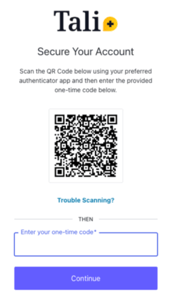
- Enter the one-time code. Type the code generated by your app into the login screen to complete the setup.
Accessing your account with MFA
After the initial setup, your login process will include an extra layer of security:
- Enter your email to receive your standard Passwordless login code.
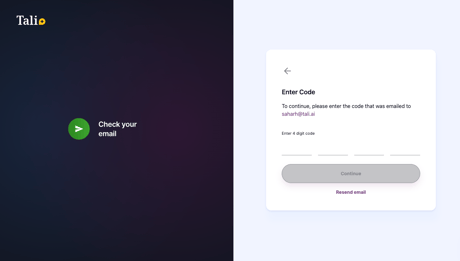
- After entering the email code, you will be prompted for your MFA code.

- Open your authenticator app and enter the generated one-time code to access your account.
| Situation | Action |
|---|---|
| I can’t scan the QR code | Make sure your authenticator app (Google Authenticator, Microsoft Authenticator, etc.) is installed and functioning. |
| My authenticator app code is not accepted | Check that the time on your device is correct, as an incorrect device time can cause codes to fail. Authenticator apps typically generate a new code every 30 seconds, so you must enter the code while it is still valid. If the code expires or the problem persists, generate a new code and try again. If it still doesn’t work, contact Tali Support |
| Can I still log in without MFA? | MFA is required once enabled. You must complete MFA setup to access your account. |