
Use a different template for your phone visits than for your in-person encounters? Now, you can pick the template you use most often for phone visits as your default, and it will always be used when recording AI Scribe sessions for phone visits.
How to Set your Default Template for Phone Visits in the Web App & Desktop App
- Go to the Templates section of Tali
- Find the template you want to use as your default for phone visits (under "Custom templates" or "Tali Templates")
- Follow that template to the 3 dots on the right side of your screen
- Click the 3 dots and select "Set as default for phone visits"
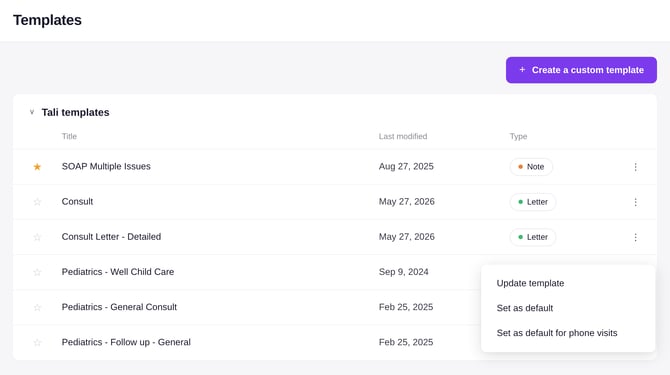
Once set, the template will show a Default badge with a phone icon, so you can tell it apart from your regular default template.
Need to change this from time to time? No problem. When recording your AI Scribe sessions, you can still change the template as you normally would if you need a different template.
If you admin deleted the template you've set as your default for phone visits, it will switch back to your regular default template.